


Vector Design
The three pieces below were designed by me during my Visual Communications course. For this project, I used both Adobe Illustrator and Photoshop. In this project, we were asked to recreate three movie posters of our choice, by using vector design to simplify each movie to its basic, recognizable elements. I chose three of my favorite movies and I tried to incorporate simplicity and originality while following the Gestalt principles of design. Aside from the text in the posters, everything was done primarily in Illustrator, from large shapes, down to tiny details.


AIGA Triad NC - Mental Wellness Poster
The poster below was also created in my Visual Communications course using Adobe Illustrator, for the American Institute of Graphic Arts (AIGA). The poster was a part of the "Make The World Not So Sad" poster exhibition competition, where my classmates and I, as well as established designers, created posters based around spreading awareness about mental health. After it was created, the poster was printed out and displayed with others at the Center for Visual Arts in Greensboro, North Carolina.

The poster below was created using Adobe Illustrator for my Visual Communications class. For this assignment, we had to create an eye-catching "festival" poster of an upcoming real or fictional event. For this project, we were expected to incorporate what we had learned so far; including type layout, gestalt principles, expressive typography, etc. I decided to create a poster for a mock Halloween party I was having. In this project, I recycled my previous vector designs of monsters and people by changing their colors and adding elements to fit the theme. I also created a pattern for the background and chose an "expressive" font that conveys scariness.
The two vector designs below were also created during my Visual Communications class. On the left, I created 3 monsters. This project was to help us get a grasp of the Adobe Illustrator program and practice what we learned so far, by creating 3 original characters. On the right, we had a similar project, but this time, we had to create 3 family members in a vector format.
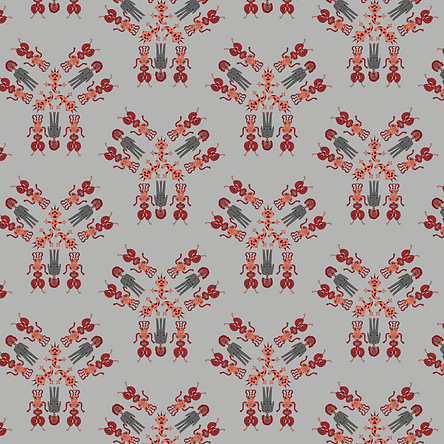
One of my favorite assignments in my Visual Communications class, was when we used Adobe Illustrator to create patterns. Below, I created 4 patterns based on the assignment criteria: character design, geometric design, minimalist design & abstract design.
Pattern 1:
Character Design
Pattern 3:
Minimalist Design

Pattern 2:
Geometric Design

Pattern 4:
Abstract Design

The last vector design project I want to show was one of the first ways I learned to use Adobe Illustrator during my Visual Communications course. Our assignment was to use simple shapes to make a detailed cityscape. I created this scene and recycled my previous vector monsters by adding them.